
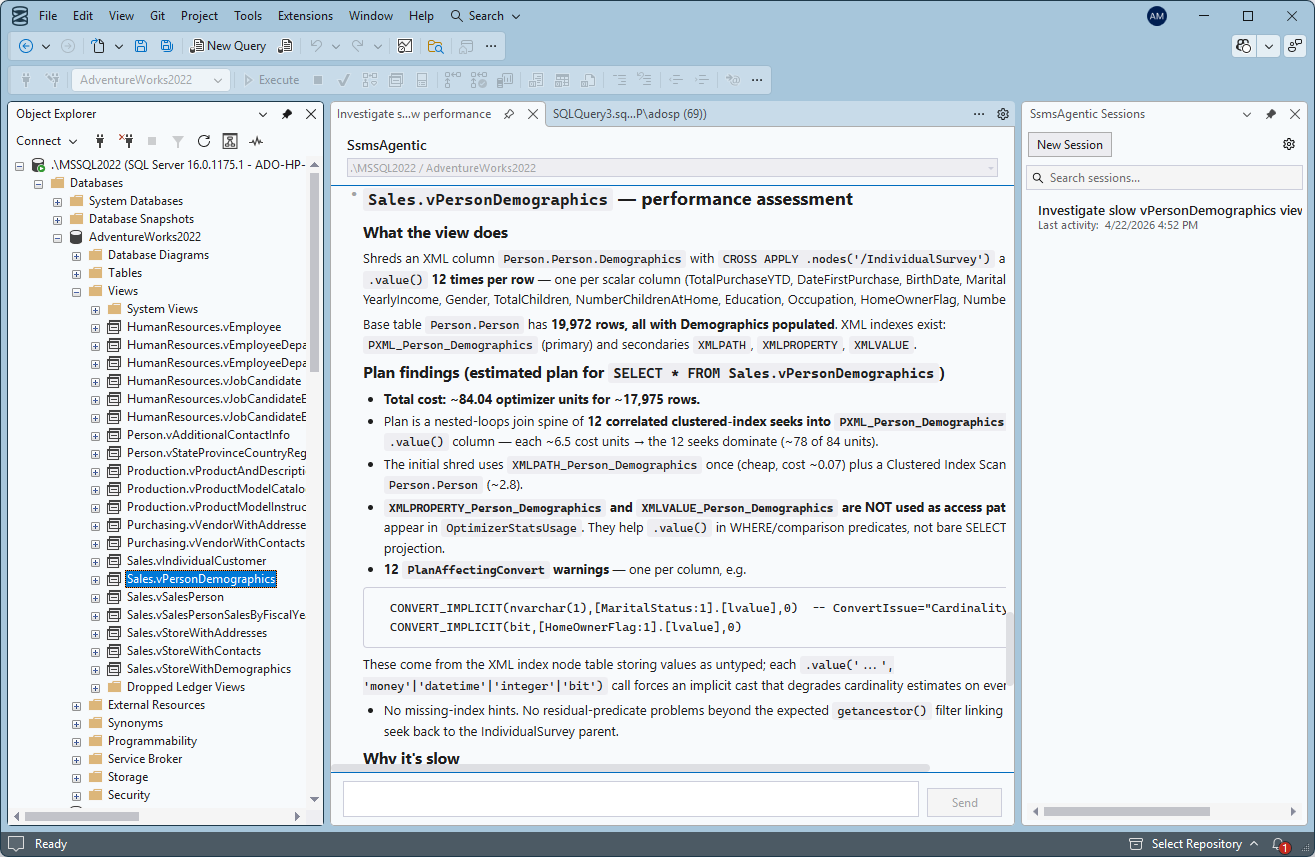
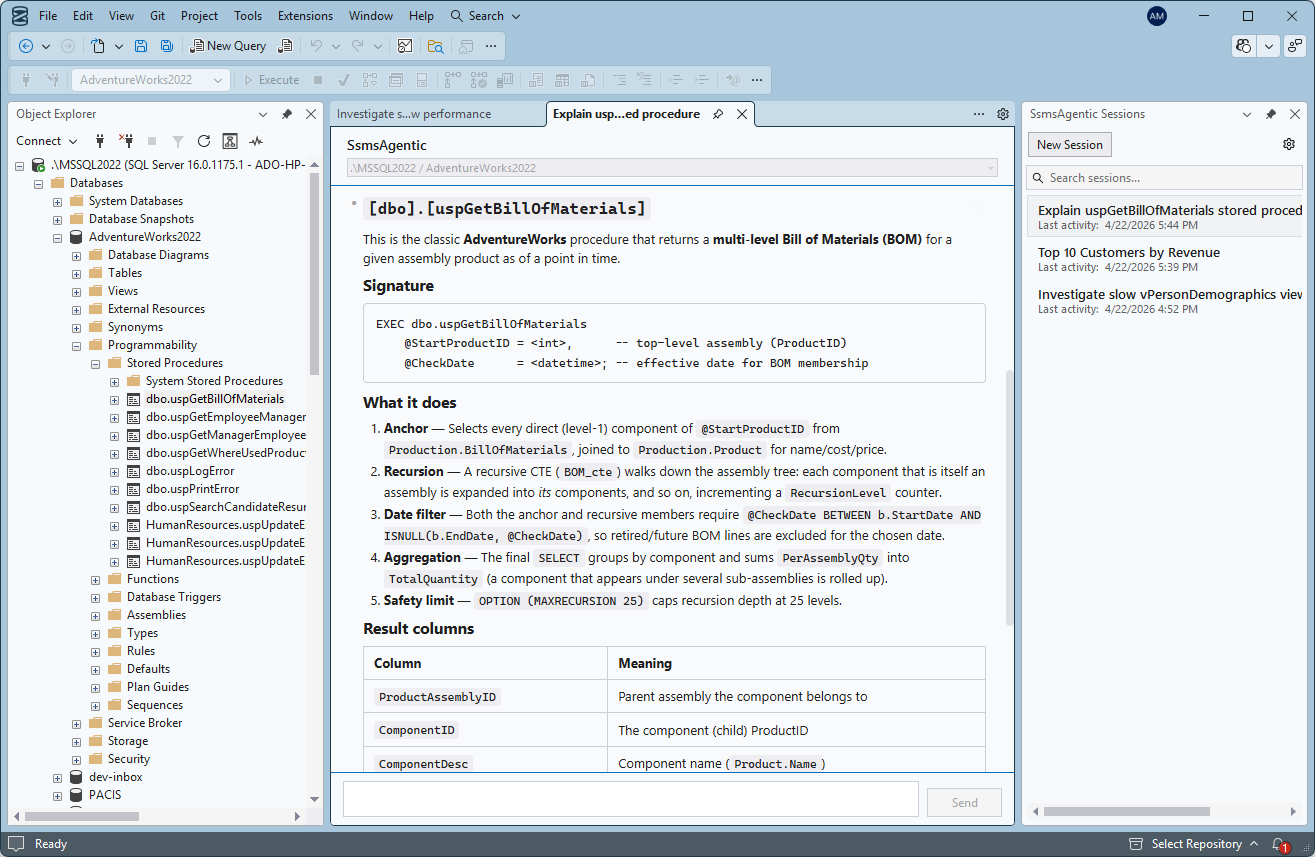
Query analysis & rewriting
Paste a query or point at an open tab. SsmsAgentic explains the plan, spots missing indexes, and rewrites for clarity and speed.
Built for SSMS 22 · Ships as a signed VSIX
An AI pair-DBA that lives in your SSMS sidebar. Ask it to analyze a slow query, draft a migration, or audit permissions — it works on the connections you already have open, and uses your Claude subscription.
Features
Purpose-built for day-to-day SQL Server work — not a generic chatbot wedged into a side panel.
Paste a query or point at an open tab. SsmsAgentic explains the plan, spots missing indexes, and rewrites for clarity and speed.
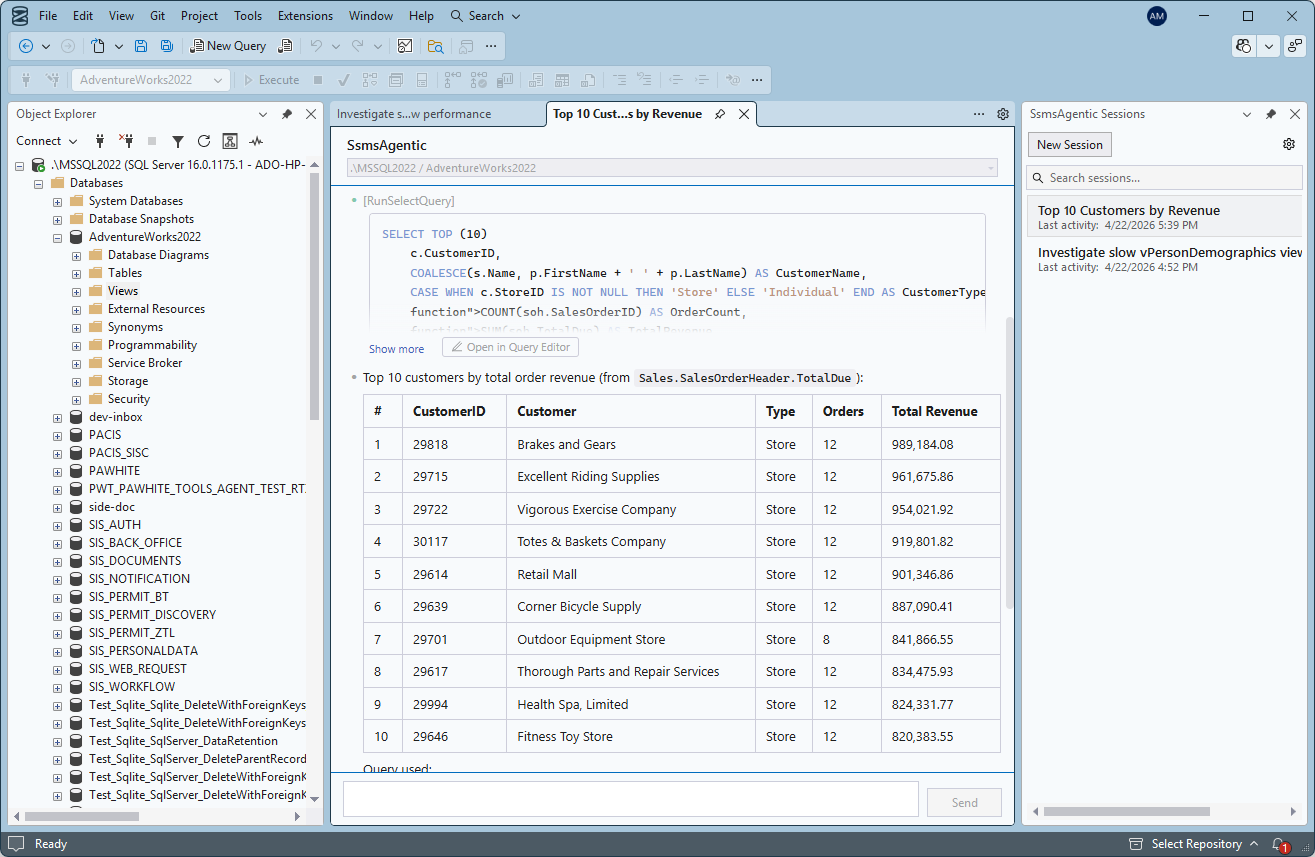
Reads query stats, plans, and waits to find the actual bottleneck — then proposes index, statistics, or query changes with before/after estimates.
Scan logins, roles, and object permissions against best practice. Flags SA abuse, wide-open schemas, risky stored procs, and stale accounts.
No connection strings, no re-auth. SsmsAgentic runs under your active SSMS session — including Azure SQL with Entra ID — so credentials never leave your machine.
The extension talks to the Claude CLI already installed on your machine. Bring the plan you already pay for — no second bill, no per-token surprises.
Follows SSMS light, dark, and blue themes. Docks like any native tool window. Keyboard-first, high-DPI-aware, accessible.
How it works
Double-click the signed VSIX. SSMS detects it and adds an SsmsAgentic entry under the Tools menu.
One click. The extension reuses your local claude CLI — Pro, Team, or API — without copying tokens anywhere.
The chat pane is pre-wired to whatever connection your current tab is on — local dev, on-prem, or Azure SQL behind Entra.
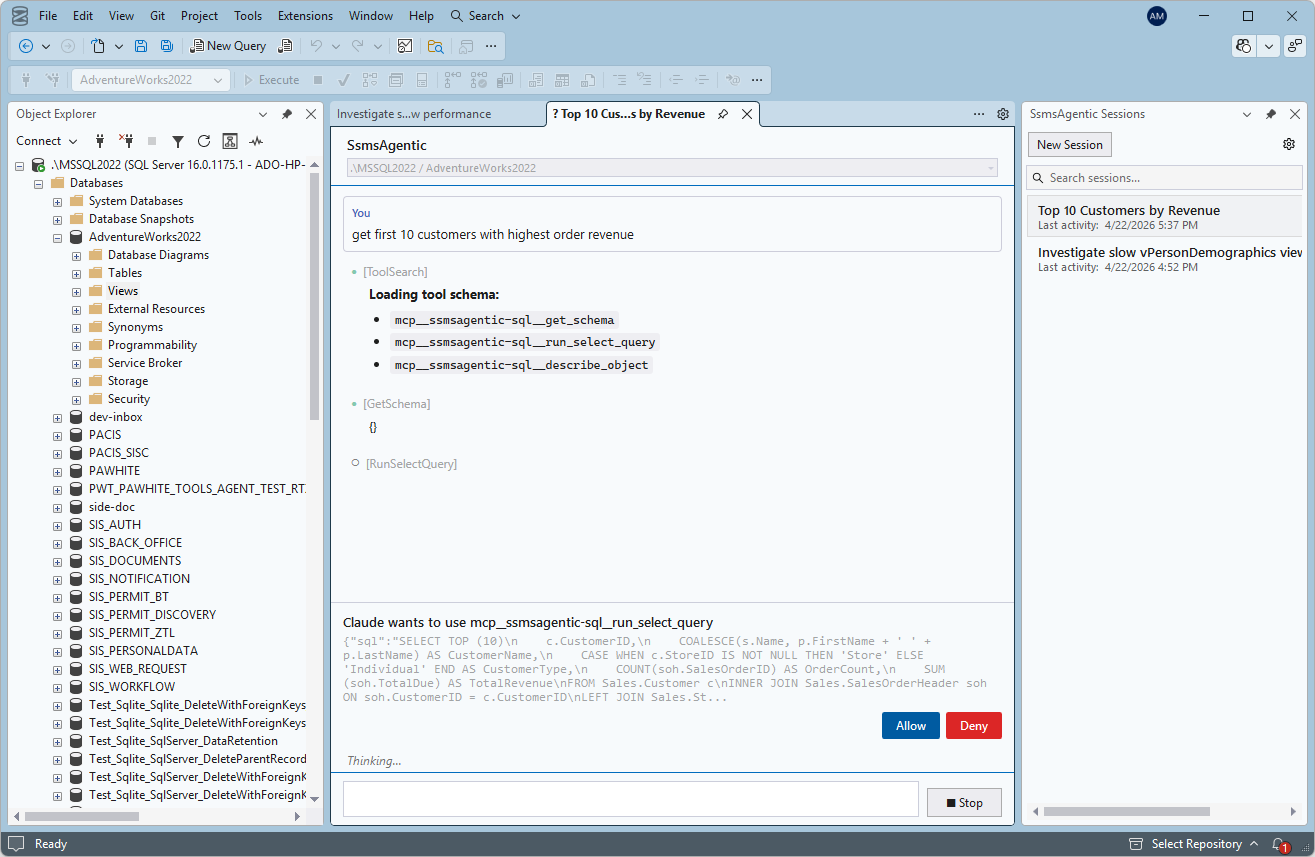
Nothing executes silently. Every statement is shown, labelled read or write, and waits for you to allow it.
Security-first by design
SsmsAgentic treats the database as production until proven otherwise. Every statement — read or write — is surfaced in full before it runs, with a clear badge and three explicit choices. There is no "trust this agent" switch.
Pricing
No seats, no subscriptions, no per-query fees. Try it for 15 days, then buy it once.
$0/ 15 days
$49one-time
$89one-time
30-day money back. VAT / sales tax shown at checkout.
$199one-time
For 10+ seats, contact support@web-co.io.
FAQ
No. SsmsAgentic uses your existing Claude plan through the Claude CLI you already have installed. Pro, Team, Enterprise, and API all work. There is no additional per-token or per-seat AI cost from us.
Yes. SsmsAgentic re-uses the active SSMS connection, so whatever you can open in SSMS — Entra interactive, Entra managed identity, SQL auth, Windows auth — it uses the same.
Query results never leave your machine unless you send them to Claude as part of a prompt, which is always explicit. No telemetry, no third-party analytics, no cloud relays.
That is the scenario it was built for. Writes are never auto-approved, read/write is always labeled, and every statement is shown in full before it runs. A full audit trail is written to disk.
SSMS 22 is the primary target. SSMS 21 is best-effort. Older versions (20 and below) are not supported.
Through a signed VSIX. A license includes 12 months of feature updates; security patches are free beyond that.
Install in under a minute. Start seeing faster plans and safer writes today.
Windows · SSMS 22 · Signed installer · ~14 MB